Caregiver tools (for you)
Most of CareHaven is about the person you care for. This part is about you.
On this page
- Your wellbeing, checked in private
- Calm Tools — thirty seconds to reset
- Kind words — when you're being too hard on yourself
- In-the-Moment Coach — what to say right now
- A breathing-and-grounding reset on your Lock Screen
- Share the Load — get it out of your head
- Take a break — respite with a briefed backup
- The Handoff packet — hand off the day
Caregiving carries a weight that nobody else can see — the remembering, the planning, the worry that runs in the background all day. The tools here exist to take a little of that off your shoulders. A private check-in. A few breaths when a moment floods you. A packet that lets you hand the day to a sitter without writing it all out again. A place to set down the invisible list you've been holding alone.
You'll find these in the Caregiver hub, and a couple of them live close to where you'll need them most.
Your wellbeing, checked in private
Available
Caregiver burnout is real, and it's a documented risk — not just for you, but for the person depending on you. Looking after yourself isn't self-indulgent. It's part of the care plan.
My Wellbeing is a private daily check-in for you, not the person in your care. Rate your day on a simple 1–5 scale, from struggling to thriving, with an optional note.
To use it, open the My Wellbeing tab, tap How are you doing right now?, choose your level, and add a note if you want to. A 7-day trend chart shows your pattern over time. When your average stays low for a while, the app gently surfaces caregiver support resources.
If it's been five days or more without a check-in, a quiet nudge shows up on your Home screen — never a nag, just a reminder that you matter too.
Your wellbeing entries are never included in handoffs or exports. They live only on your device, for you. If you see a therapist, the trend chart can be a more honest starting point than "I've been fine" — the data bypasses the instinct to minimize.
Calm Tools — thirty seconds to reset
Available
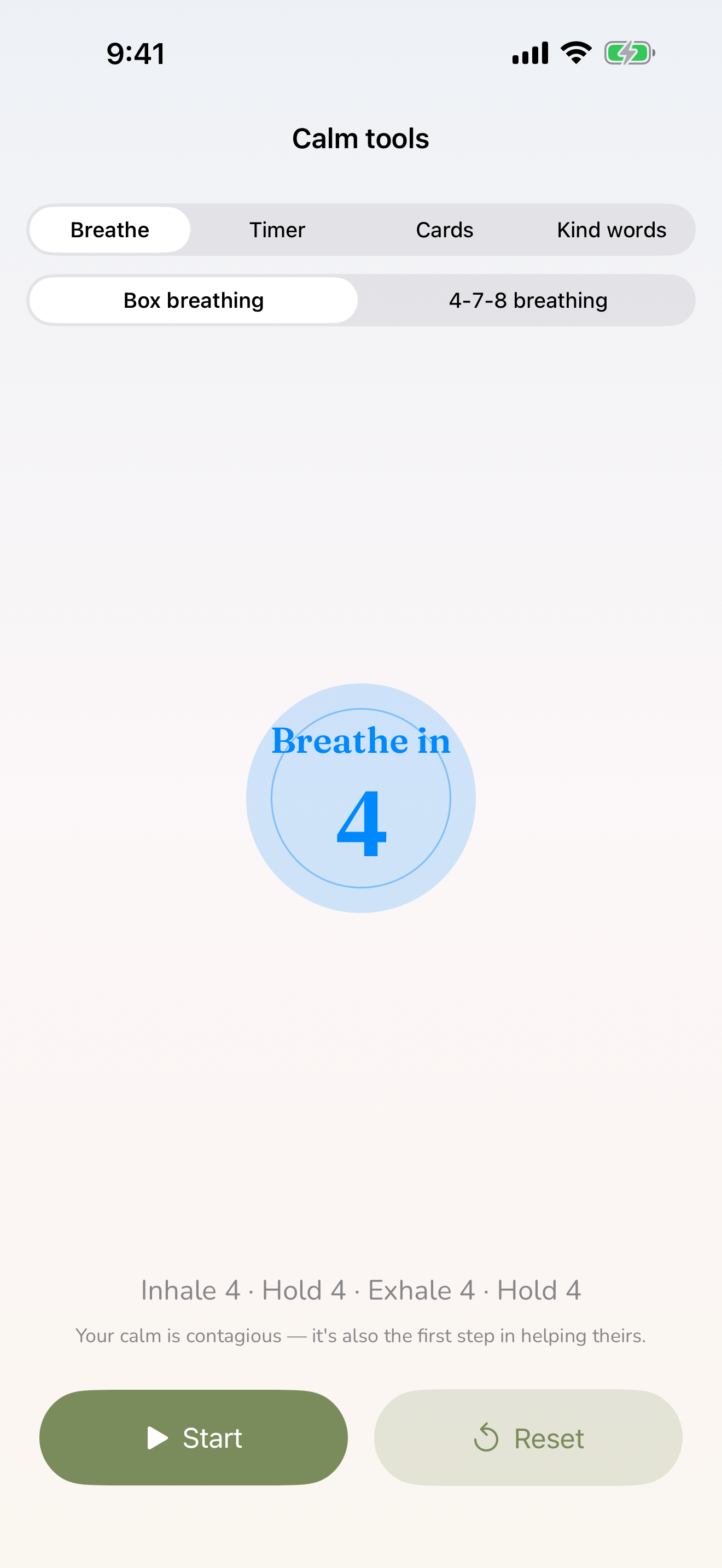
For the moments when something has flooded you and you need to regulate before you respond. Calm Tools lives in the Caregiver hub.
Inside you'll find:
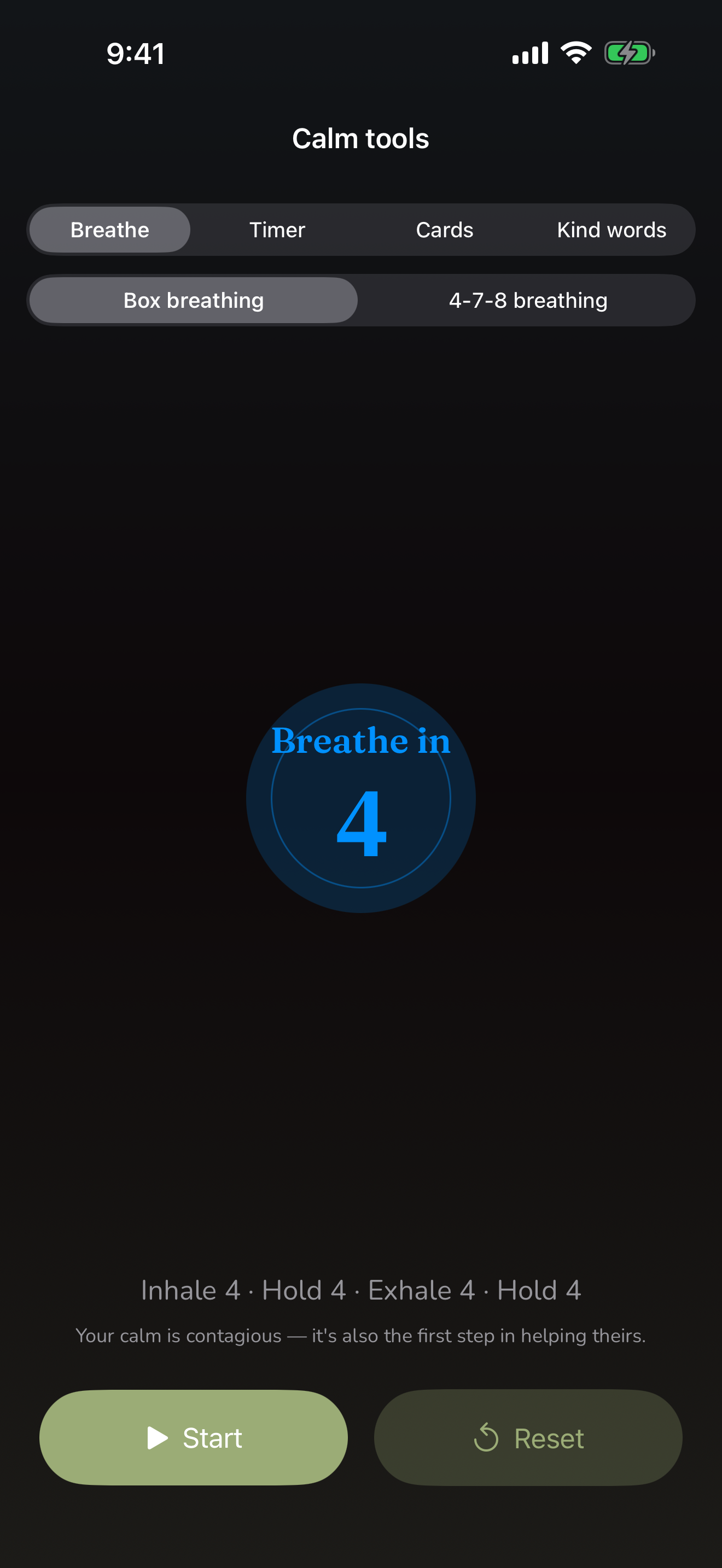
- Box breathing (4-4-4-4) — inhale four, hold four, exhale four, hold four. A visual box expands and contracts to pace you. It's the same technique first responders use.
- 4-7-8 breathing — inhale four, hold seven, exhale eight. The long exhale settles your nervous system. It's the fastest way to come down.
- A countdown timer — set anything from thirty seconds to five minutes, for when you just need to step into another room and reset.
- Calming strategy cards — a stack of one-line reminders you can flip through, like "Their brain is overwhelmed, not scheming" and "I can be firm and kind at the same time."
After a full breathing cycle, a gentle How are you now? appears. If you're feeling steadier, you can close it. If you're still stretched, it opens Share the Load so you can hand one thing off. If you're not okay, it offers to connect you to the 988 crisis line.
During high-stress seasons — a surgery recovery, a new medication, a hard school transition — it helps to keep Calm Tools one tap away.
Kind words — when you're being too hard on yourself
Available
Tucked inside Calm Tools is a deck of Kind words — short self-compassion cards that gently reframe the guilt caregivers carry. You did your best with what you had. You're allowed to be tired. The standard you're holding yourself to isn't one you'd ever ask of anyone else.
Flip through them on the hard days. They don't fix anything, but sometimes hearing the kinder version of the thought is enough to keep going.
In-the-Moment Coach — what to say right now
Available
Some moments leave you frozen, unsure of the right words. The In-the-Moment Coach (in the Caregiver hub) offers calm, ready-to-use scripts for exactly those moments — what to say, what to skip, and a short why behind each.
It covers situations like a meltdown, the repeated questions of dementia, a panic attack, a reassurance demand that won't let up, and how to be specific when you have to call 911 or 988. The cards are there so you don't have to find the words from scratch when you're already overwhelmed.
In dementia care, these scripts are part of a larger set of memory-care tools. See Dementia & elder care for what's available now and what is coming next.
A breathing-and-grounding reset on your Lock Screen
Coming soon
The breathing and grounding reset already lives inside the app. A Lock Screen and Control Center widget — plus a "give me a minute" Siri shortcut — so you can reach it without even opening CareHaven, is a planned fast-follow.
Share the Load — get it out of your head
The mental load is the invisible list you carry every day — every refill, call, form, and worry. Share the Load gets it out of your head, shows you how much is still on you, and makes handing one thing off easy by writing the ask for you. It lives in the Caregiver hub. It's private to you, and it never syncs to a sitter or family member.
Available
To use it, open the Caregiver hub, choose Share the load, and tap the +. Type a job in your own words ("refill the rescue med"), pick a kind for it, and optionally note who it's for. Everything starts in the On me lane with a running count, so the invisible becomes visible.
When you want help with something, tap the share button on that job. CareHaven writes a warm, specific, ready-to-send message — not a vague "I need help," but a concrete "here's one thing that would really help" — and opens the share sheet so you can send it to a particular person.
When someone takes a job on, swipe it to Covered and watch the load lighten. If it bounces back, swipe it to Back to me.
Why it works: family often don't help because they don't know exactly what's needed. A specific, pre-written ask for one concrete task is far more likely to get picked up than a general request — and it costs you almost nothing to send.
Take a break — respite with a briefed backup
A break is one of the most protective things you can do for yourself, and one of the hardest to arrange — because the real barrier is usually that no one feels ready to be left in charge. Take a break fixes that. It lives in the Caregiver hub, on the profile you're caring for.
Available
Open the Caregiver hub, choose Take a break, and tap Set up a break plan. Pick a backup from your contacts (or just type a name), set a small, kind goal — even two hours every two weeks is a real start — and add anything the backup should know beyond the handoff.
Tap Brief my backup to open your handoff — today's plan, cues, meds, emergency info — so the person covering for you actually knows what to do.
When you hand off, tap Start a break, and tap End break when you're back. Your break-time fills toward your goal, and a gentle nudge appears if it's been too long. Respite is one of the best-evidenced ways to prevent caregiver burnout — this one's for you. Your plan and your break log stay on your device.
The Handoff packet — hand off the day
When you leave the person you care for with a sitter, a grandparent, or a relief caregiver, the Handoff packet hands them everything they need in one place — so you're not writing it all out again, and they're not guessing.
Available
It's built from what's already in the app and laid out in clear sections: today's plan, the cues that mean something for this person, emergency info, medications, useful context, and what's coming up. The person's sensory profile — what calms them and what overwhelms them — and any skill routines you've set up now ride along too, so a sitter knows to dim the lights or skip the loud toy before it becomes a hard moment.
CareHaven can also draft a short, friendly note at the top of it for you, and the whole thing can be translated into another language if the person covering speaks one.
For a step-by-step walkthrough, see Create a handoff for a sitter.
The communication card — a printable AAC card
Available
If the person you care for communicates with pictures or symbols, you can build a printable Communication Card — a paper AAC card a non-tech sitter or babysitter can use without needing the app or a device. It's a simple, hand-it-over way to keep your person understood when you're not in the room.
The card prints as a PDF you can save, print, and laminate. More on the in-app communication cards lives under Advocacy & goals, and the printable side under Sharing & reports.
The Sensory Profile — what calms and what overwhelms
Available
The Sensory Profile captures how your person experiences the world across their senses — what soothes them and what tips them over the edge. It's the kind of knowledge you carry instinctively but a sitter has no way to know.
You'll find it in the Caregiver hub. Once you fill it in, it travels with the handoff, so anyone caring for your person knows their sensory needs without a phone call.
The Sensory Profile is one of the surfaces tied to special-needs care. If you've turned on General Caregiver Mode, it stays hidden — see Make it yours.
Resources — help when you need to find it
Available
The Resources library is a curated, searchable directory of the help that's out there: state Medicaid waiver programs, respite care and funding, IEP and 504 advocacy organizations, diagnosis-specific nonprofits, and crisis and mental-health lines for caregivers. It works fully offline.
Filter by topic — medical, education, financial, respite, crisis — or search by keyword. Bookmark the ones that fit your family, and they'll rise to the top next time. Each entry has a description, contact methods, and a link you can tap to open.
A small thing that's saved families weeks: when you're fighting an insurance denial, search your person's diagnosis here. Advocacy nonprofits often have template appeal letters and state-by-state rights summaries ready to go.
A note on all of this
These tools don't pretend to fix the hard parts of caregiving. What they do is make sure you're not carrying everything alone in your own head — that there's a place to set the load down, a way to ask for help that actually works, and thirty seconds of calm when you need it.
Take care of yourself. The person you love is counting on you being okay too.
Related pages
- Safety & crisis plans — crisis cards, first aid, and the Letter of Intent
- Walkthrough: Create a handoff for a sitter
- Sharing & reports — the Communication Card and Care Report PDFs
- Make it yours — General Caregiver Mode and customization
- Search & Ask CareHaven — finding any of these fast